Give an idea a shape.
Generate AI art from text or edit images with reference inputs. Explore characters, illustrations, and new visual directions.
FLUX.2 Klein · Qwen Image · Z-Image Turbo
YOUR IDEAS. YOUR COMPUTER.
Create images, video, music, voices, and 3D assets in one app on your Windows PC. Pick a ready-made workflow, add your idea, and start creating. No complicated setup.
Get Hepek for WindowsFree to generate · One-time save/export unlock
ONE APP. MANY POSSIBILITIES.
Follow your idea across formats. Hepek brings visual generation, sound, speech, and 3D into the same node-based workspace.
Generate AI art from text or edit images with reference inputs. Explore characters, illustrations, and new visual directions.
FLUX.2 Klein · Qwen Image · Z-Image Turbo
Create video from text or images, or transform an existing clip with supported video workflows.
Wan 2.2 · LTX-2.3 · LTX-2.5
Generate music for a scene, experiment with a new sound, or explore an idea through a music workflow.
ACE-Step 1.5 · Stable Audio 3 · YuE
Create sound effects from text, images, or video. Give your visual projects another layer.
AudioX
Turn text into speech and explore voice design through local audio workflows.
Qwen3 TTS · Scenema Audio · Maya1
Turn an image into a textured 3D mesh. Explore assets for your next scene or creative project.
TRELLIS.2 · Pixal3D
Models download separately. Hardware needs, model licenses, and workflow availability vary; some models have regional restrictions.
01 / LESS FRICTION, MORE CREATION
You shouldn’t have to become a programmer to try an idea. Hepek brings the tools together in one app, with ready-made workflows and model downloads built in.
Install Hepek, choose a ready-made workflow, and download its models in the app. No extra software to install or complicated setup to work through.
Your computer does the creative work. Once you’ve downloaded the models you need, you can run local workflows offline.
Visual nodes connect models, prompts, and previews. Begin with a pre-built workflow, then adjust the pieces as your ideas grow.
02 / ONE WORKSPACE, EVERY WORKFLOW
See real examples from Hepek: a playful character, a new scene, an image edit, and music turned into notes. Choose a light or dark theme that feels comfortable to you.
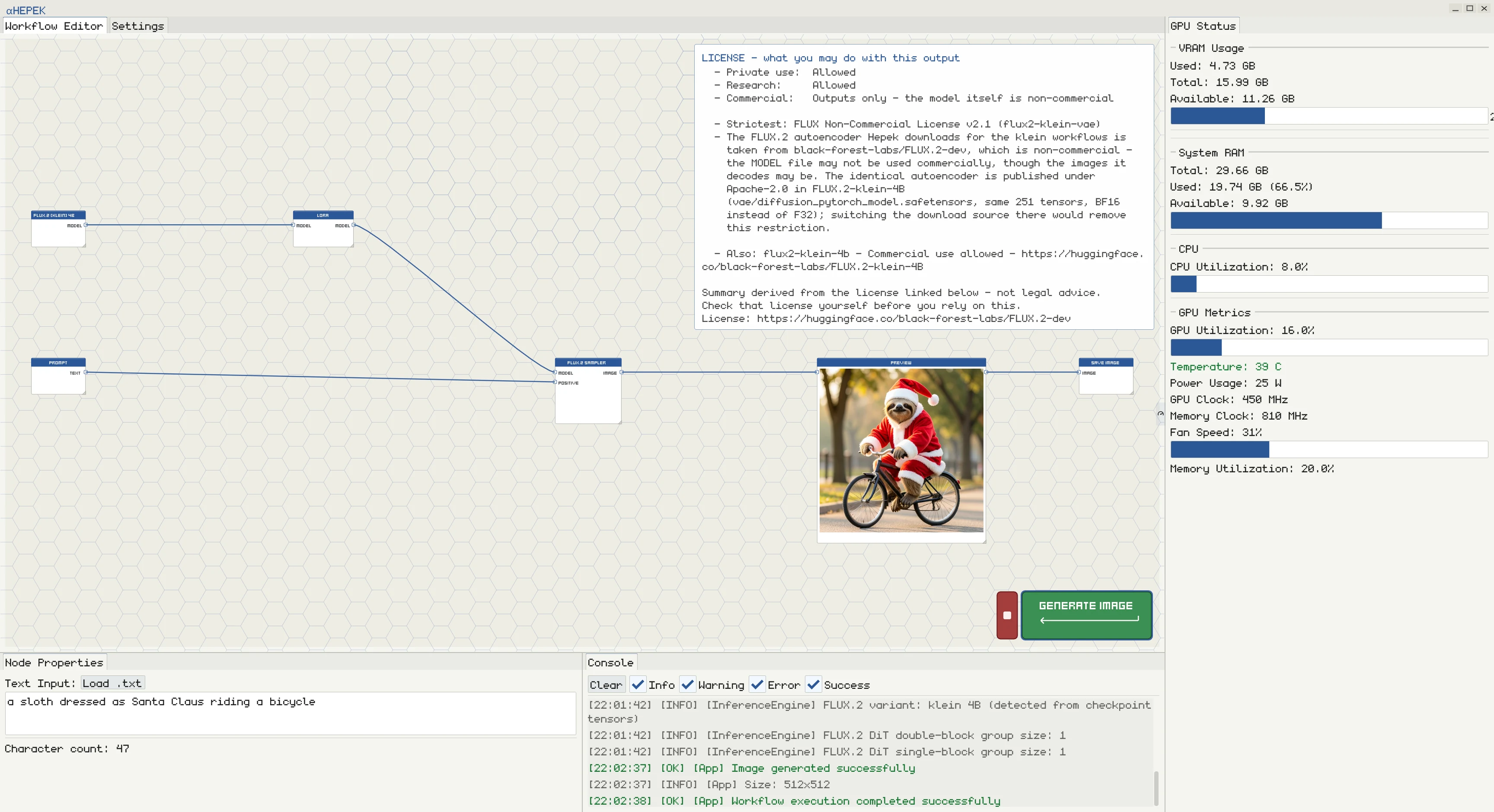
A short prompt becomes a character: a sloth dressed as Santa, riding a bicycle.
View full screenshot ↗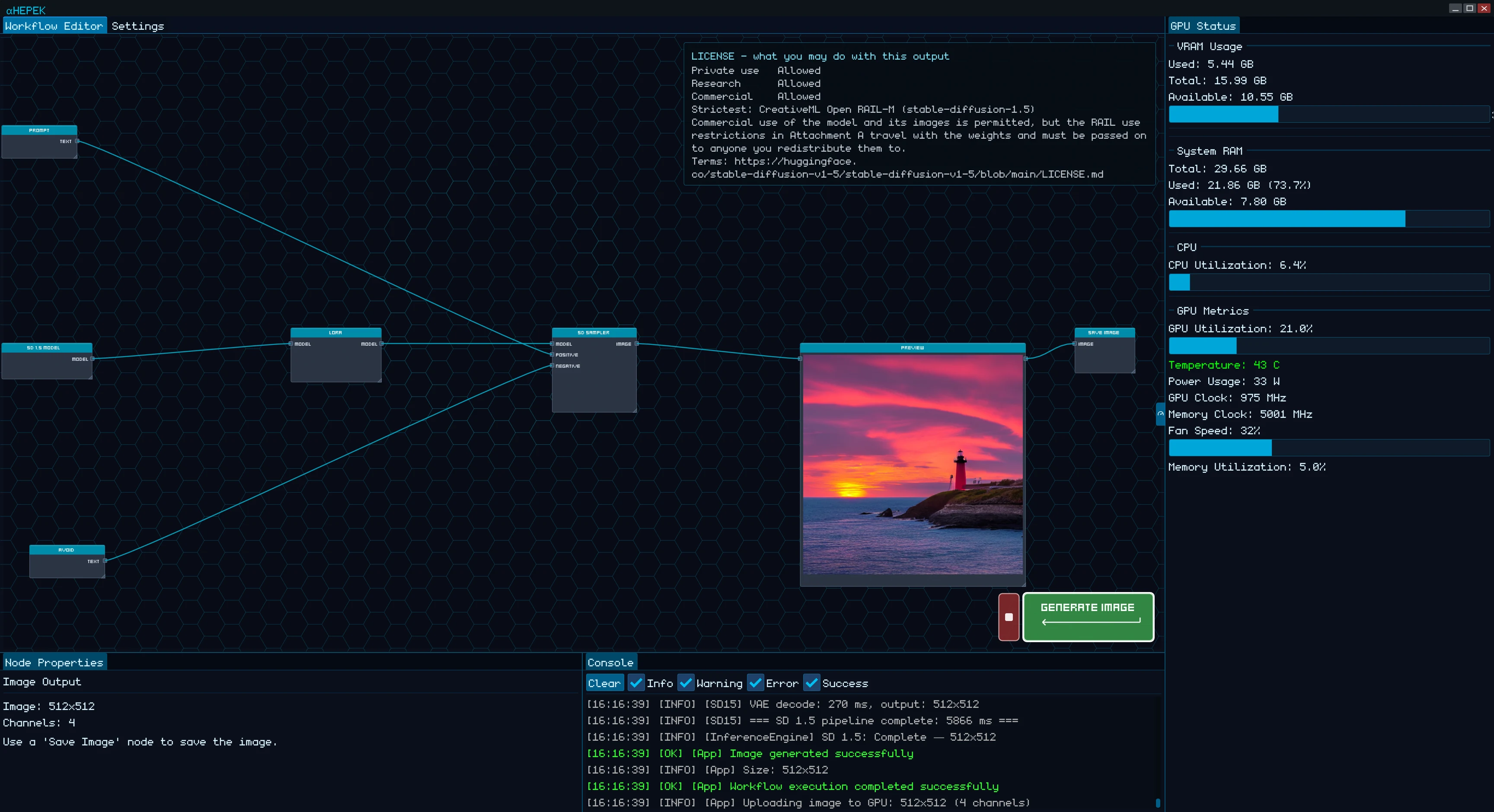
A lighthouse at sunset, generated inside Hepek. Try a scene or a new visual direction.
View full screenshot ↗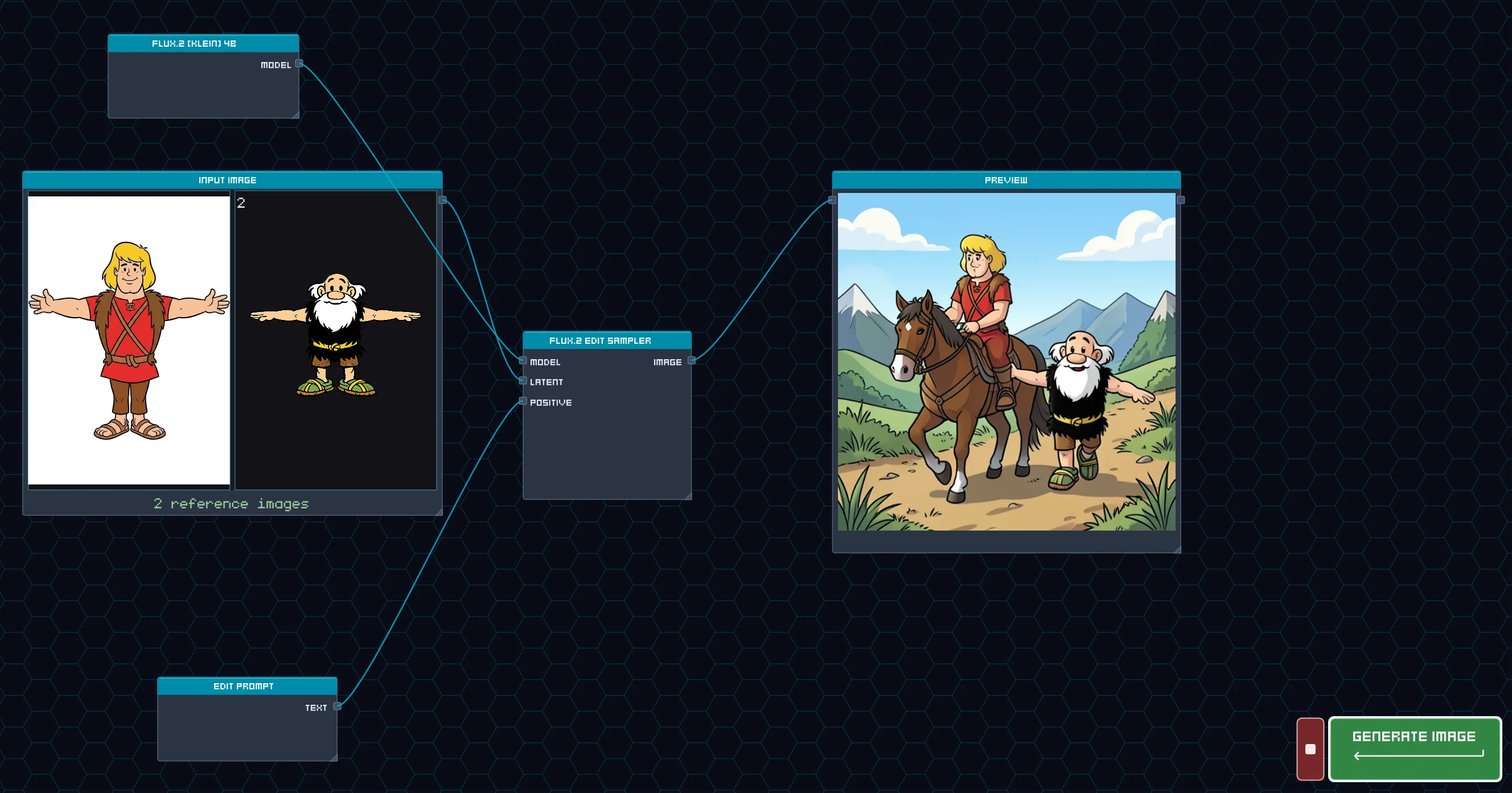
Two reference images become one illustration with the characters together.
View full screenshot ↗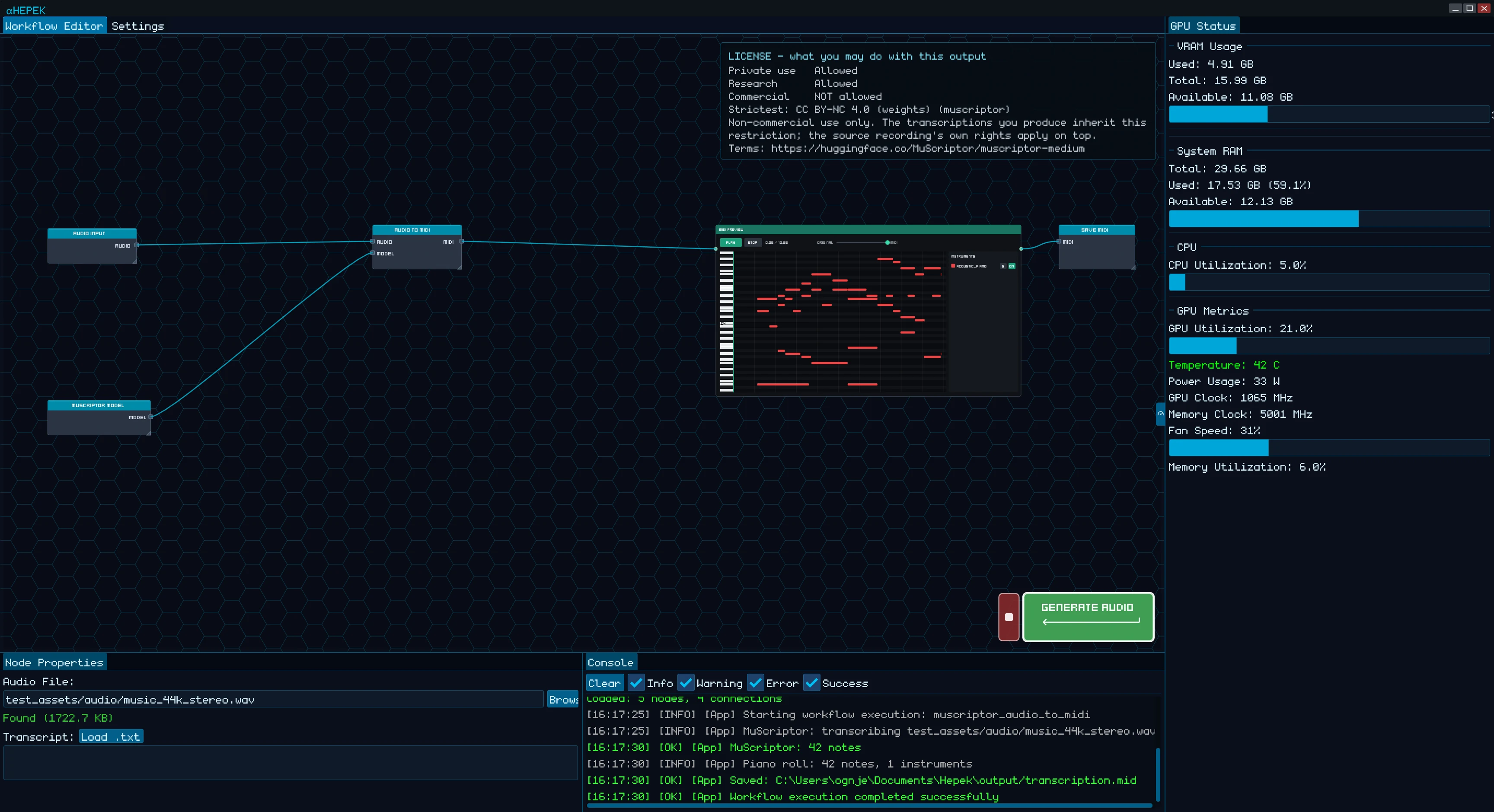
See an audio recording transcribed into MIDI, with notes shown in the app’s piano roll.
View full screenshot ↗Choose from more than 60 templates for image, video, audio, voice, and 3D tasks.
Use the built-in model manager. Models need disk space and an internet connection to download.
Write a prompt or add the inputs your workflow needs, then run it on your computer.
OPEN MODELS. ONE CREATIVE WORKSPACE.
Explore supported image models for text-to-image generation and image editing. Each has its own strengths, license, and hardware needs.
Model files download separately. Workflow availability can vary by app version and region.

03 / ROOM TO EXPERIMENT
A character. A scene. Something wonderfully weird.
Use local AI art generation to explore an illustration, try a visual direction, or give a personal project a new starting point. Choose a supported model and workflow that fit your idea and your machine.
Take the idea further with a clip, a soundtrack, a voice, or a 3D asset. Your next step stays in the same app.
Find your starting point04 / GOOD TO KNOW
Hepek is a desktop app for local generative AI. It combines image generation and editing, video, music, sound effects, speech, and 3D assets in one visual workspace. Ready-made workflows and built-in model downloads help you get started without complicated software setup.
No Python environment or command-line setup is needed to use Hepek’s native workflows. More than 60 ready-made templates ship with the app. Start with one and use the model manager to download the models it needs.
Inference runs on your own computer. You need internet access to install the app and download models first. Once the required models are available locally, native generation workflows can run offline. Store licensing or updates may require a connection.
The Windows version uses Vulkan for GPU acceleration. You need a GPU with Vulkan 1.3 support, current graphics drivers, and enough memory and storage for your chosen model. Larger image models and video workflows can need substantially more resources. Check the Microsoft Store listing for the current app requirements.
Hepek’s native workflows don’t require separate software environments or toolkits. GPU acceleration uses only Vulkan, so there is no Python environment or CUDA toolkit to install. You still need a Vulkan 1.3-compatible GPU and graphics driver; AI models download separately inside the app.
Generating with Hepek is free. Saving and exporting your work requires a one-time in-app unlock, with no subscription. See the Microsoft Store listing and the app for current pricing in your region.
Usage rights depend on the model and any other inputs you use. Check the relevant model license before using generated images in commercial work.
LESS SETUP. MORE IMAGINATION.
Images, video, music, voices, and 3D. One app on your PC, with no complicated setup.
Free to generate · One-time save/export unlock
Models download separately.
Performance depends on your hardware.